8. Performance, measured
Sections
Reading settings
No voice for this language in this browser.
More voices
Code and English terms
Off: the page’s voice reads everything, with no pause between two voices.
No voice for this language in this browser.
More voices
More voices: Microsoft Edge has natural online voices, and Windows (Settings › Time & language › Speech), macOS and Android install others.
Code: the page in src/08-performance/main.ts.
What costs what
Section titled “What costs what”A frame has two costs. On the CPU, three.js walks the scene graph, updates matrices, culls what the camera can’t see, sorts, and sends one draw command per object. On the GPU, each command runs the shaders over its triangles and pixels. A scene of many small objects is CPU-bound: the GPU idles while JavaScript prepares thousands of commands. A scene of a few huge meshes, or a heavy post-processing chain, is GPU-bound. The remedies differ, so the first step is to count.
| WPF 3D | MonoGame | three.js | |
|---|---|---|---|
| Many copies of one mesh | a ModelVisual3D each, or one merged MeshGeometry3D |
DrawInstancedPrimitives with a vertex buffer of instance data |
InstancedMesh |
| Different meshes, one material | merge them yourself | merge them yourself | BatchedMesh |
| Fewer triangles far away | none built in | your code | LOD |
| Skipping what is off-screen | done by WPF | your code, with BoundingFrustum |
automatic, per object, from its bounding sphere |
| Counting | WPF Performance Suite | your counters, or a GPU profiler | renderer.info, the browser’s performance panel |
The test: 10,000 markers
Section titled “The test: 10,000 markers”The page draws 10,000 small orange icosahedrons of 80 triangles on a 100 × 100 grid, 0.1 units apart, the way a fretboard app might draw every note of a scale on every string of many necks. ?mode= picks how they are built, and ?view=close moves the camera 1.5 units above one corner, looking down, so that most markers are off-screen.
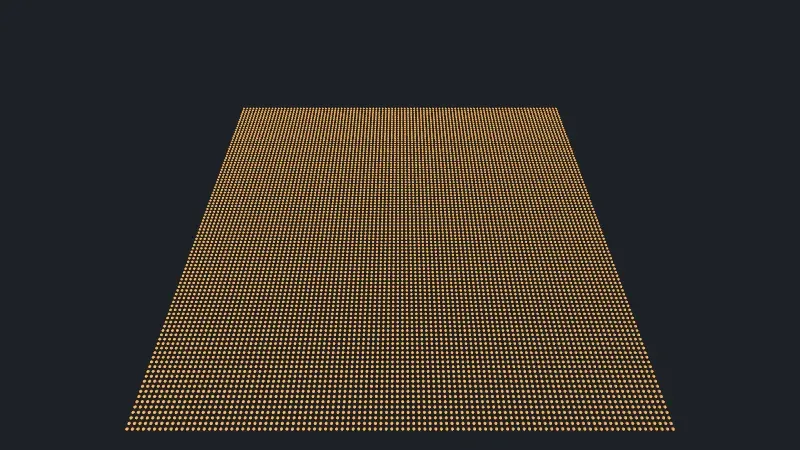
Live page: run it here
Open full screen. Try it: mode switches between the six versions measured below, markers changes their number, and view moves the camera close: tiles with close is exercise 1’s measurement. The voicing scene of lesson 13 draws a chord’s markers with one InstancedMesh: 7 draw calls whatever the chord.
After three frames, the page reads renderer.info, then renders 20 more frames in a loop and divides the time: the CPU time of one renderer.render() call, which records and submits the commands; the GPU works afterwards, and isn’t in that number. It also measures the time to build the markers (setupMs) and the first frame, which includes compiling the shaders (firstFrameMs). check.sh compares the counts, and prints the times without comparing them.
$ node scripts/probe.mjs 08-performance --query mode=meshes{ "frame": 4, "render": { "calls": 6, "drawCalls": 10001, "triangles": 800001 }, "memory": { "geometries": 2, "textures": 3, "programs": 4 }, "mode": "meshes", "count": 10000, "view": "all", "sceneChildren": 10002,}Each mode, from check.sh’s outputs, with the times of one run on the author’s machine (WebGPU, an NVIDIA RTX 5080). The times move from run to run: earlier runs, which averaged 60 frames, gave 11.7 and 13.8 ms for meshes, and 0.11 ms for instanced.
?mode= |
scene children | draw calls | triangles | geometries | build | first frame | one frame, CPU |
|---|---|---|---|---|---|---|---|
meshes: a Mesh each, shared geometry and material |
10,002 | 10,001 | 800,001 | 2 | 18 ms | 229 ms | 10.3 ms |
unshared: a new geometry and material per Mesh |
10,002 | 10,001 | 800,001 | 10,001 | 309 ms | 446 ms | 32.9 ms |
instanced: one InstancedMesh |
3 | 2 | 800,001 | 2 | 4.6 ms | 21.4 ms | 0.16 ms |
batched: one BatchedMesh |
3 | 10,001 | 800,001 | 2 | 2.9 ms | 30.3 ms | 1.24 ms |
lod: a LOD of three Mesh levels each |
10,002 | 10,001 | 200,001 | 2 | 62 ms | 252 ms | 21.8 ms |
The scene children include the two lights; the draw calls and triangles include the output pass’s one triangle.
Meshes: one draw call each
Section titled “Meshes: one draw call each”10,000 meshes are 10,000 draw calls, and 10.3 ms of CPU per frame: at 60 frames per second, 62 % of the 16.7 ms budget is gone before any other work. The GPU draws only 800,000 triangles, which it handles easily.
Unshared geometries and materials change nothing on the screen, and more than triple the CPU time. memory.geometries counts 10,001 buffers on the GPU. memory.programs stays at 4: three.js recognizes that 10,000 identical materials need the same shader, but each material still has its own uniforms and bindings to update and check each frame. Building them costs 309 ms, and disposing them is 20,000 calls.
InstancedMesh: one draw call
Section titled “InstancedMesh: one draw call”One InstancedMesh holds one geometry, one material, and a matrix per instance in a GPU buffer (lines 60-65):
} else if (mode === 'instanced') { // One object, one geometry, a matrix per instance in a GPU buffer const markers = new THREE.InstancedMesh(geometry, material, count); for (let i = 0; i < count; i++) markers.setMatrixAt(i, matrix.makeTranslation(positionOf(i, position))); markers.computeBoundingSphere(); scene.add(markers);The same 800,000 triangles, in one draw call, for 0.16 ms of CPU: sixty times less than the meshes. setColorAt gives each instance its own color, and after changing matrices or colors, instanceMatrix.needsUpdate = true uploads the buffer again. The instances share everything else: one geometry, one material. computeBoundingSphere() matters: the sphere must cover all the instances, not the geometry at the origin, or the whole mesh is culled when the origin leaves the screen.
BatchedMesh: one object, many draws
Section titled “BatchedMesh: one object, many draws”A BatchedMesh holds several geometries in shared buffers, with one material, and draws instances of any of them (lines 81-86). It is for scenes where the objects share a material but not a shape: frets, inlays and markers of one fretboard, for example.
It counts 10,001 draw calls on WebGPU, and still takes only 1.24 ms. The WebGPU backend issues one drawIndexed per instance, inside one render pass and with the same pipeline and bindings (WebGPUBackend.js, lines 2124-2145). That is the cheap part of a draw call; the expensive part for meshes is everything three.js does per object before it. Exercise 2 shows what the same BatchedMesh counts on WebGL.
LOD: fewer triangles, more work
Section titled “LOD: fewer triangles, more work”A LOD holds several versions of an object, and shows the one whose distance fits (lines 87-96): 320 triangles under 3 units, 80 from 3 units, 20 from 8. From the overview camera, every marker is farther than 8 units: 200,000 triangles instead of 800,000. But 10,000 LOD objects are 10,000 distance checks per frame on top of the 10,000 meshes: 21.8 ms of CPU, twice the plain meshes. LOD saves GPU work on large meshes; for many small objects, it costs more than it saves. BatchedMesh can swap an instance’s geometry with setGeometryIdAt, which gives levels of detail without the objects.
Frustum culling, from close up
Section titled “Frustum culling, from close up”With ?view=close, the camera looks at one corner of the grid:

Live page: run it here
?mode=, ?view=close |
draw calls | triangles | one frame, CPU |
|---|---|---|---|
meshes |
345 | 27,521 | 1.46 ms |
instanced |
2 | 800,001 | 0.11 ms |
batched |
345 | 27,521 | 0.60 ms |
lod |
345 | 61,921 | 11.5 ms |
(The close-view times come from an earlier run of the same page, averaging 60 frames; check.sh prints only the overview’s.)
- Meshes: 344 markers are in the camera’s frustum, and three.js skips the other 9,656, each tested against its bounding sphere (
Renderer.js, lines 3290-3294). The CPU time falls to 1.46 ms, but the test itself still visits 10,000 objects. - InstancedMesh: all or nothing. Its bounding sphere covers the whole grid, which is on screen, so the GPU receives all 800,000 triangles and discards most of them after the vertex shader. Exercise 1 cuts it into tiles.
- BatchedMesh:
perObjectFrustumCulledistrueby default, so it tests each instance before drawing (BatchedMesh.js, lines 1590-1606): the same 344 markers as meshes, in half the time. - LOD: close up, the visible markers switch to their detailed levels, and the triangles more than double, while the 10,000 distance updates stay.
frustumCulled = false on an object turns the test off: it is always drawn. That is right for an object whose vertices move in the shader beyond its bounding sphere, like the string of lesson 6, and wasteful otherwise.
Reading the numbers
Section titled “Reading the numbers”info.renderis reset at the start of each animation frame, not at eachrender()call (Animation.js, line 81, andInfo.js, lines 184-198): a page that renders several times per frame, or outsidesetAnimationLoop, sees counts that add up. The page reads them before its timing loop for that reason.drawCallscounts what three.js asked for, not what the GPU did: exercise 2 shows aBatchedMeshcounted once on WebGL.- CPU time in a browser is coarse:
performance.now()is rounded, to 100 µs or less depending on the page’s isolation. Averaging 20 frames hides it. The GPU time is not in this number; with WebGPU, a timestamp query measures it, when the adapter offers thetimestamp-queryfeature (to verify on the author’s GPU). - The Linux and Windows CI runners have no GPU, and render with SwiftShader on the CPU: their times say nothing about a real machine. The macOS runner has WebGPU on Apple’s paravirtualized GPU; in run 35123228046, which averaged 60 frames, it took 22.8 ms for
meshes, 60.4 ms forunshared, 0.23 ms forinstanced, 1.95 ms forbatchedand 29.1 ms forlod: slower than the author’s machine, in the same order. The counts are the same everywhere, except those of exercise 2.
In GuitarAlchemist/ga
Section titled “In GuitarAlchemist/ga”GA uses InstancedMesh in 9 files, BatchedMesh and THREE.LOD in none.
- A fretboard made of separate meshes.
ThreeFretboard.tsxbuilds, with its default 22 frets and 6 strings and no markers, about 49 meshes and 29 sprites. Each fret gets its ownCapsuleGeometryand its ownMeshPhysicalMaterialwith clearcoat (lines 960-1016), although the loop gives all 22 the same shape, since every fret spans the full neck width, and the same material settings: theunsharedrow, at a small scale. Each position marker gets a newSphereGeometry(markerRadius, 32, 32), 1,984 triangles, and a new material (lines 1311-1335). A seven-note scale shown on six strings from the open string to fret 22 is about 80 markers, some 160,000 triangles for small dots; oneInstancedMeshwithsetColorAtwould draw them in one call. - A scene rebuilt when the props don’t change. The effect that builds the fretboard lists
positionsamong its dependencies (line 424), andpositionsdefaults to[]in the parameter list (line 58): a new array on every render of a parent that doesn’t pass it, so the whole scene is disposed and rebuilt each time the parent renders. That this happens in GA’s pages is to verify with React’s profiler; the React (Vite) course covers stable dependencies. The cleanup disposes meshes only (lines 388-414): the 29 sprites, each with its own canvas texture, stay in memory. - Instancing done well, culling turned off. Prime Radiant’s
NodeInstancer.tsdraws its graph nodes with oneInstancedMeshper node type, with per-instance colors and a shared material (lines 160-180), and setsfrustumCulled = falsebecause “force-graph moves nodes”. The alternative iscomputeBoundingSphere()after the positions change; with a graph that is usually all on screen, the difference is small.frustumCulled = falseappears in 15 files of GA. - Pixel ratios. 11 files call
setPixelRatio(window.devicePixelRatio)without a cap, andThreeFretboard.tsxasks for up to 6 (line 204). The pixel count grows with the square of the ratio, and every full-screen pass of lesson 7 with it.
GA experiment
Section titled “GA experiment”Lesson 14 takes this lesson’s counts to GA’s scenes: experiment 1 draws 16 necks four ways (72 draw calls per neck in GA’s structure, 4 merged, and BatchedMesh at one call per object on WebGPU), experiment 10 shows that LOD saves GPU time but costs CPU time for a wall of guitars, and experiment 5 draws GA’s 313,047 voicings as one draw call of points.
Key takeaways
Section titled “Key takeaways”- Count before optimizing:
renderer.info.render.drawCallsandtriangles, read once per animation frame, and the CPU time ofrenderer.render(). - Many objects cost CPU per object: 10,000 meshes took 10.3 ms per frame here, one
InstancedMeshof the same markers 0.16 ms. - Share geometries and materials: unshared copies more than tripled the CPU time without changing a pixel.
InstancedMeshfor many copies of one shape;BatchedMeshfor many shapes with one material, culled per instance.LODsaves triangles, not CPU: for many small objects, it can cost more than it saves.- Frustum culling works per object: split a large
InstancedMeshinto tiles, and keep bounding spheres right instead of turning culling off.
Exercises
Section titled “Exercises”- From close up, the
InstancedMeshstill sends 800,000 triangles. Cut the grid into 4 × 4 tiles, oneInstancedMesheach, and measure the close view. - Probe the
BatchedMeshon the WebGL 2 backend with--webgl. Why do the draw calls differ from WebGPU’s 10,001, and does the GPU really do less? - GA’s fretboard could show a scale as markers. Plan the change from one
Meshper marker to instancing: what stays per marker, what becomes shared, and what the component must do when the scale changes.
Solution 1
The tiles mode groups the markers by tile, and gives each tile its own InstancedMesh and bounding sphere (lines 66-80):
$ node scripts/probe.mjs 08-performance --query "mode=tiles&view=close"{ "frame": 4, "render": { "calls": 6, "drawCalls": 3, "triangles": 100001 }, "memory": { "geometries": 2, "textures": 3, "programs": 5 }, "mode": "tiles", "count": 10000, "view": "close", "sceneChildren": 18,}Two of the 16 tiles touch the frustum: 3 draw calls with the output pass, and 100,000 triangles, an eighth of the grid, instead of all of it. The tile size is a trade-off: smaller tiles cull better and cost more draw calls when everything is on screen, 17 for the overview instead of 2 (computed: 16 tiles and the output pass, since the overview shows every marker). memory.programs is 5, one more than a single InstancedMesh: a difference in the tiles’ instance counts or buffers gives one of them its own pipeline (to verify in the source). For a camera that moves, BatchedMesh’s per-instance culling does the same without choosing a tile size.
Solution 2
$ node scripts/probe.mjs 08-performance --webgl --query mode=batched{ "frame": 4, "render": { "calls": 6, "drawCalls": 2, "triangles": 800001 }, "memory": { "geometries": 2, "textures": 5, "programs": 4 }, "mode": "batched", "count": 10000, "view": "all", "sceneChildren": 3,}2 draw calls: the batch and the output pass. When the browser offers the WEBGL_multi_draw extension, the WebGL backend draws the 10,000 ranges with one multiDrawElementsWEBGL call, and counts it once (WebGLBufferRenderer.js, lines 53-90). The GPU still draws 10,000 ranges and 800,000 triangles; what changes is one JavaScript-to-driver call instead of 10,000. WebGPU has no multi-draw call in its first specification, so its backend loops over drawIndexed, which is cheap there. Without the extension, the WebGL backend loops too, with a drawId uniform per draw (WebGLBackend.js, lines 1055-1077), and the count goes back to 10,001. So drawCalls alone doesn’t compare two backends: compare the CPU time too. The Linux and Windows CI runners, which fall back to WebGL 2 on SwiftShader, have the extension, and count 2 for the default run as well: check.sh keeps that output in expected/l08_probe_batched.webgl.txt.
Solution 3
Per marker: a matrix, from the string and the fret, with the radius in its scale (emphasized markers are 0.25, others 0.2), and a color with setColorAt. Shared: one SphereGeometry with far fewer segments, 16 × 12 is plenty for a dot, and one MeshStandardMaterial; the per-marker emissive color can’t vary per instance with a plain material, so either drop it, or use a node material whose emissiveNode reads the instance color. When the scale changes: allocate the InstancedMesh for the largest count once, set count to the number of markers, write the matrices and colors, and set instanceMatrix.needsUpdate and instanceColor.needsUpdate, without rebuilding the rest of the neck. Labels, which are sprites with a texture each, are a separate problem: one texture atlas, or HTML labels over the canvas. A plan, not code run against GA (to verify).
Sources
Section titled “Sources”- three.js documentation:
InstancedMesh,BatchedMesh,LOD,Info; the manual’s optimize lots of objects - three.js source at r186:
Renderer.js,Info.js,BatchedMesh.js,InstancedMesh.js,WebGPUBackend.js,WebGLBufferRenderer.js - Khronos:
WEBGL_multi_draw; W3C: WebGPU; MDN:performance.now() - MonoGame:
GraphicsDevice